quvyta-focus
qfocus
Tracks what you focus on, from the terminal. Keep a short list of the things you work on, start a counter on one of them, and see where your time went in day, week, month and year charts.
curl -fsSL https://raw.githubusercontent.com/quvyta/quvyta/main/install.sh | sh -s -- focusBeta. Records are written carefully, but the interface and the command line may still change between releases.
What it does
Honest time, in plain charts.
- A list of focuses
Categories hold focuses: Work holds Reports and Reviews, Study holds Rust. Renaming a focus never rewrites its history.
- A counter
Start a focus and the counter runs; take a break, write a note, stop. Time with no input from you waits until you say what it was.
- Honest time
Durations come from the system's steady clock, so changing the clock or the time zone does not move them. A counter cut off by a power loss stops at the last moment qfocus knew it was alive.
- Charts
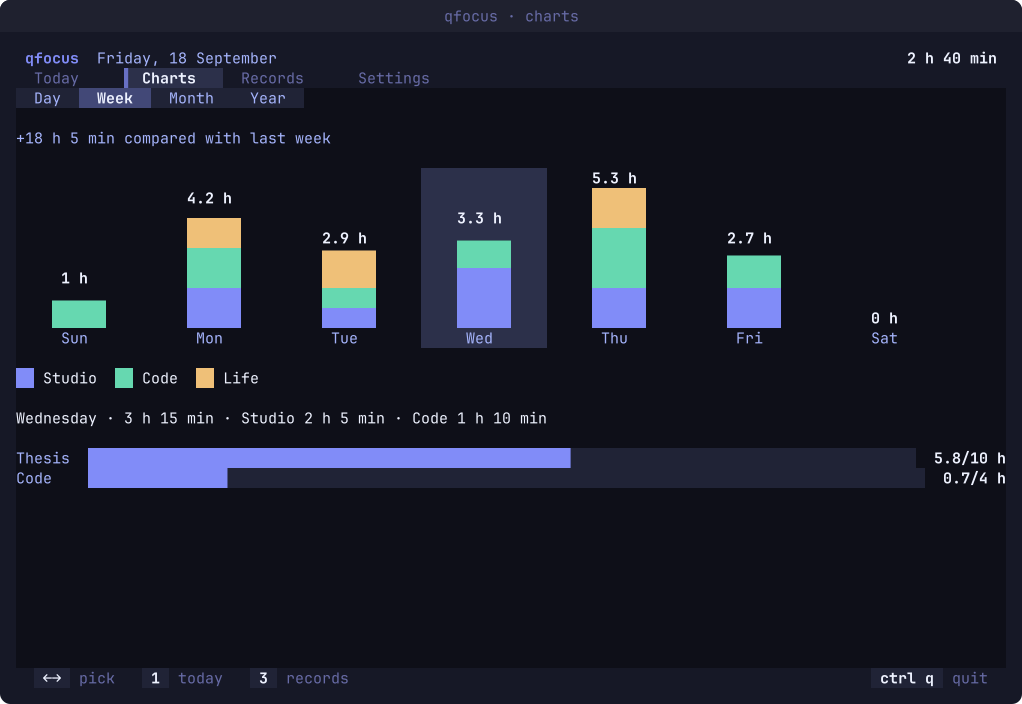
Day, week, month and year: by the hour, by category, day by day, and what you worked on most, each compared with the period before.
- Records
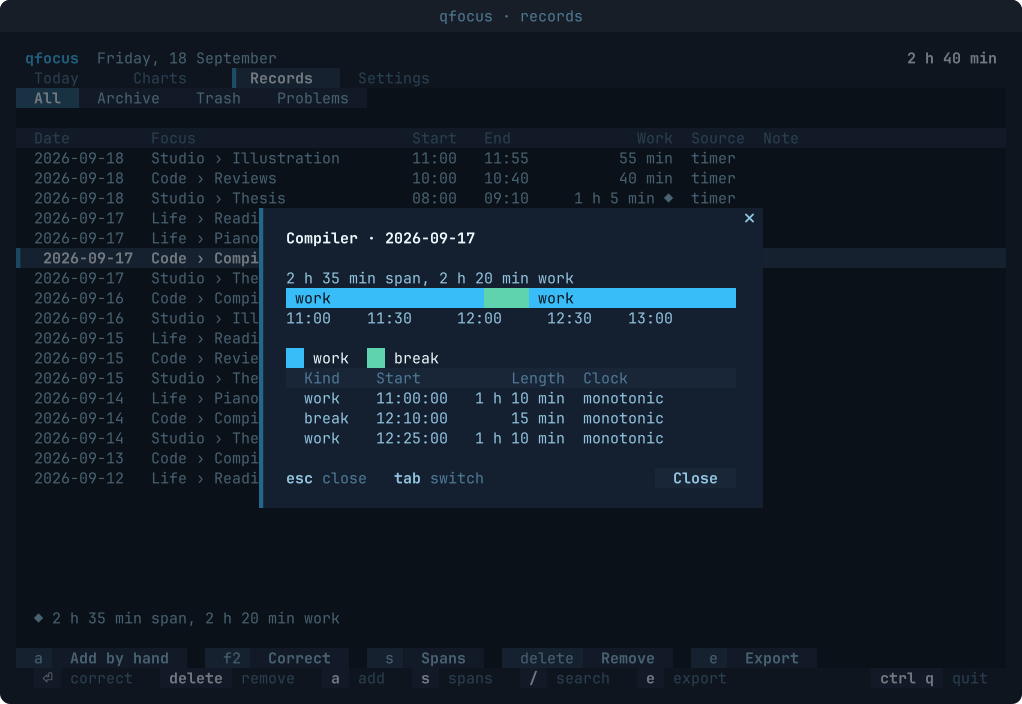
Every session, searchable. Correct one, add one you forgot, move one to the trash, and undo with
ctrl+z. Export as CSV or JSON. - Goals, if you want them
A daily, weekly or monthly goal for a focus or a category. A row without one shows nothing extra.
- Command line
Start and stop a counter, or print the running focus, without opening the interface.
- Nine languages
English, Turkish, German, Spanish, French, Brazilian Portuguese, Russian, Simplified Chinese and Japanese.
Screens
Where the time went.
Nine languages
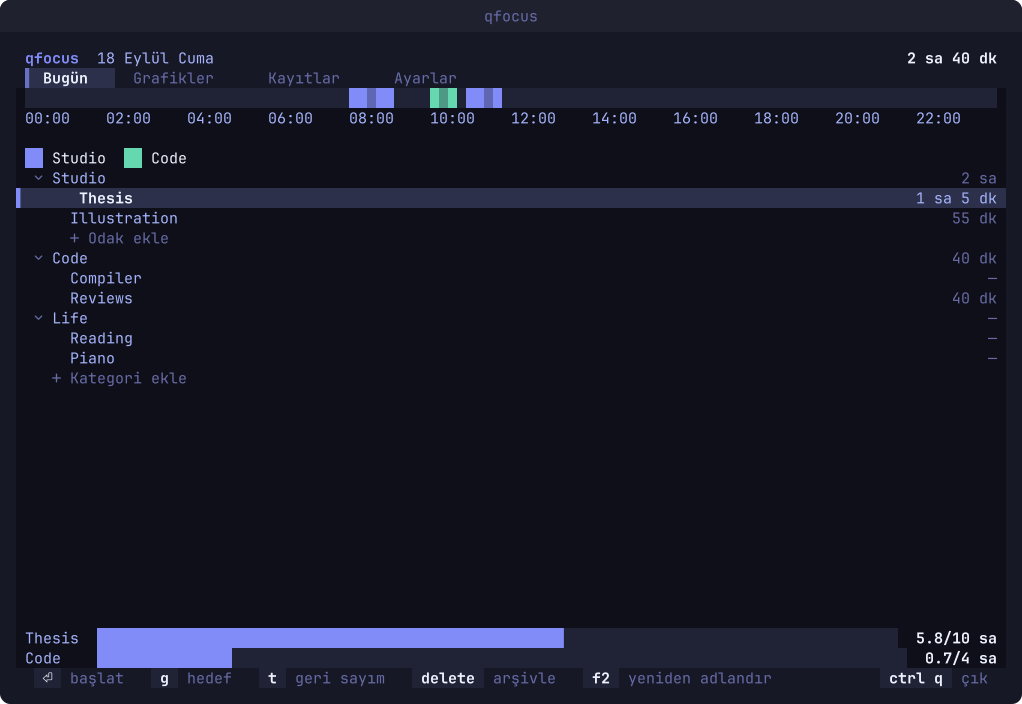
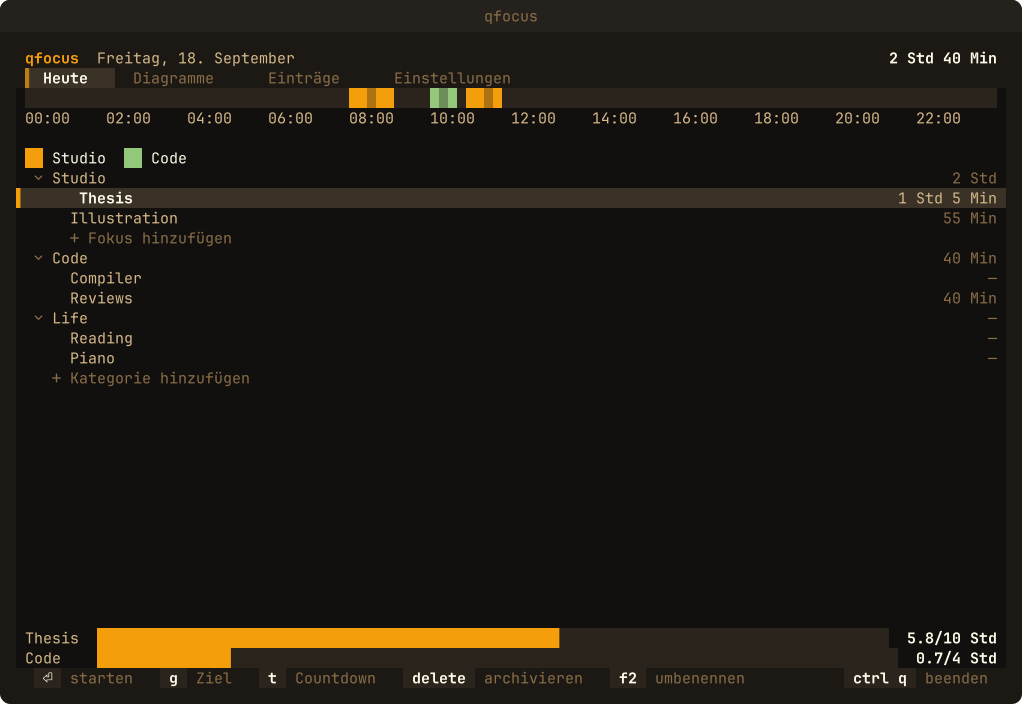
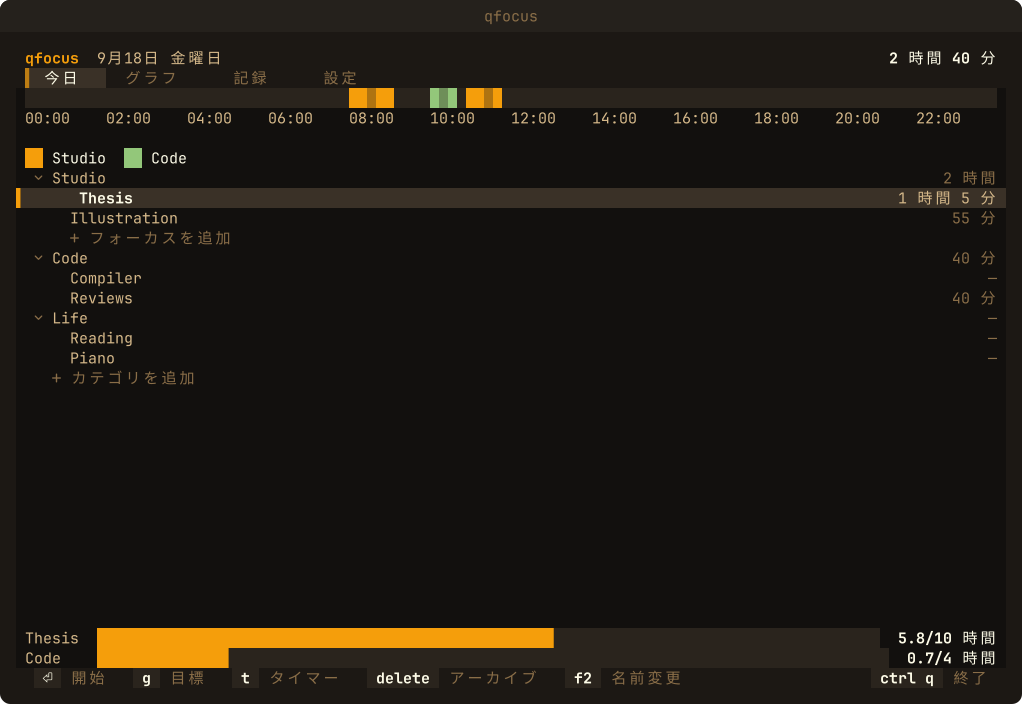
The same day, in three of them.
Every word comes from a language file, and the layout is measured in cells, so a longer word never breaks a screen.
Install
Quvyta's installer builds qfocus from crates.io with cargo. It asks before every step and installs Rust with rustup if it is missing. It uses sudo only to install a missing C linker, and only when you answer yes in the terminal.
The program is installed as qfocus and also as quvyta-focus. On Windows, and for every other way in, see Install.
Linux and macOS
curl -fsSL https://raw.githubusercontent.com/quvyta/quvyta/main/install.sh | sh -s -- focusOr with cargo
cargo install quvyta-focusRequirements
- Rust 1.95 or later
The installer brings it with rustup if you agree.