quvyta-packages
qpac
A package manager for Arch Linux that runs in the terminal. It is meant to bring pacman, the AUR, Flatpak and Snap together in one simple interface that feels like an app store, and it shows exactly what will change before anything does.
curl -fsSL https://raw.githubusercontent.com/quvyta/quvyta/main/install.sh | sh -s -- packagesBeta. qpac finds software in the repositories, the AUR, Flatpak and Snap and installs and removes from all four; AUR packages are built with paru or yay once you have read their recipes. The interface may still change between releases.
What it does
A store for Arch, and every change shown first.
- Discover
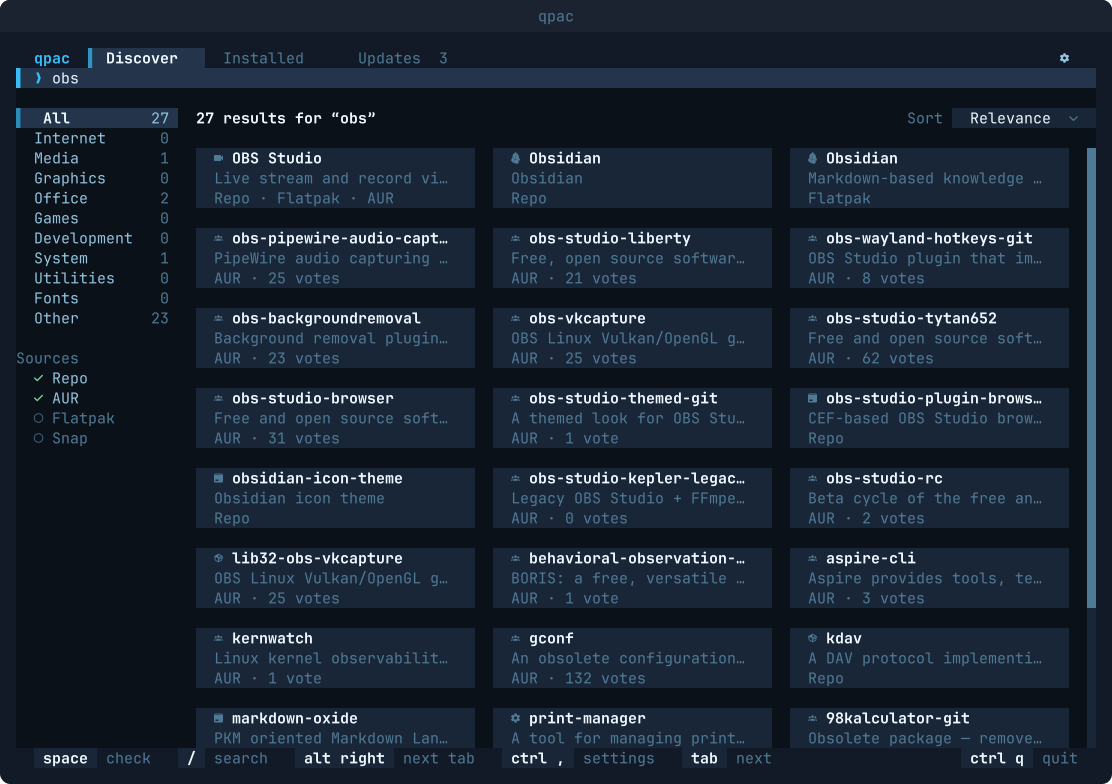
Popular apps and what is popular in the AUR, as cards, with the kinds of software on the left. Typing searches the repositories, the AUR, Flatpak and Snap at once, and one application found in several sources is one card. A snap has no kind of its own, because snapd does not give one, so snaps sit under Other and are found by searching.
- An application's page
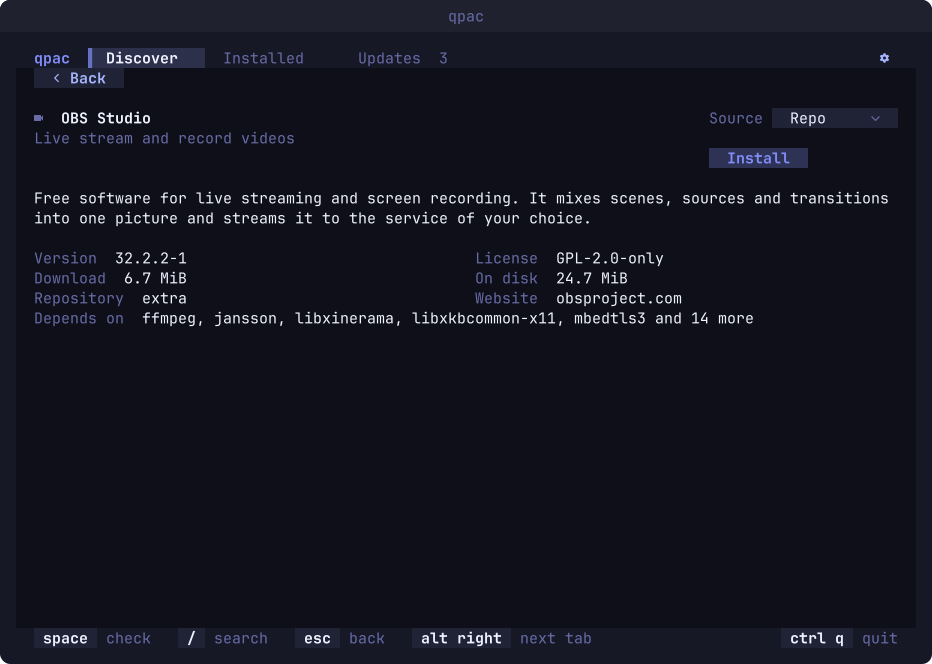
Its description, version, licence, sizes, website and dependencies, with an Install or Remove button. Categories and descriptions come from AppStream, the data GNOME Software and KDE Discover use.
- Installed
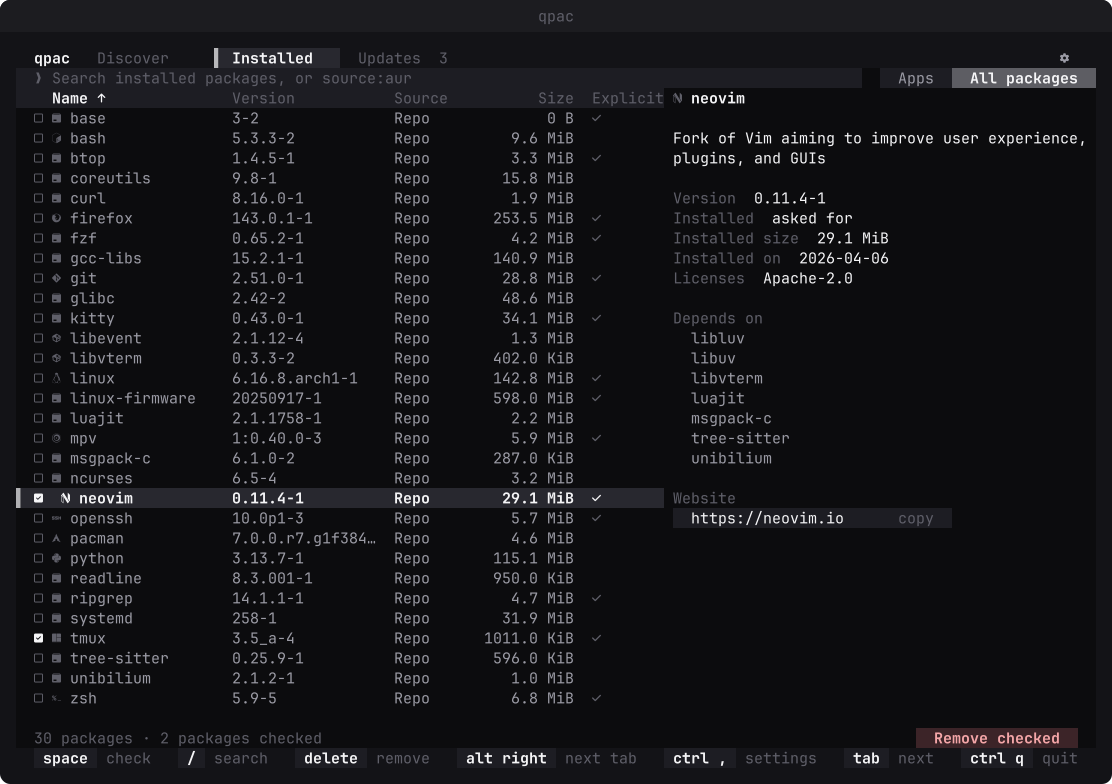
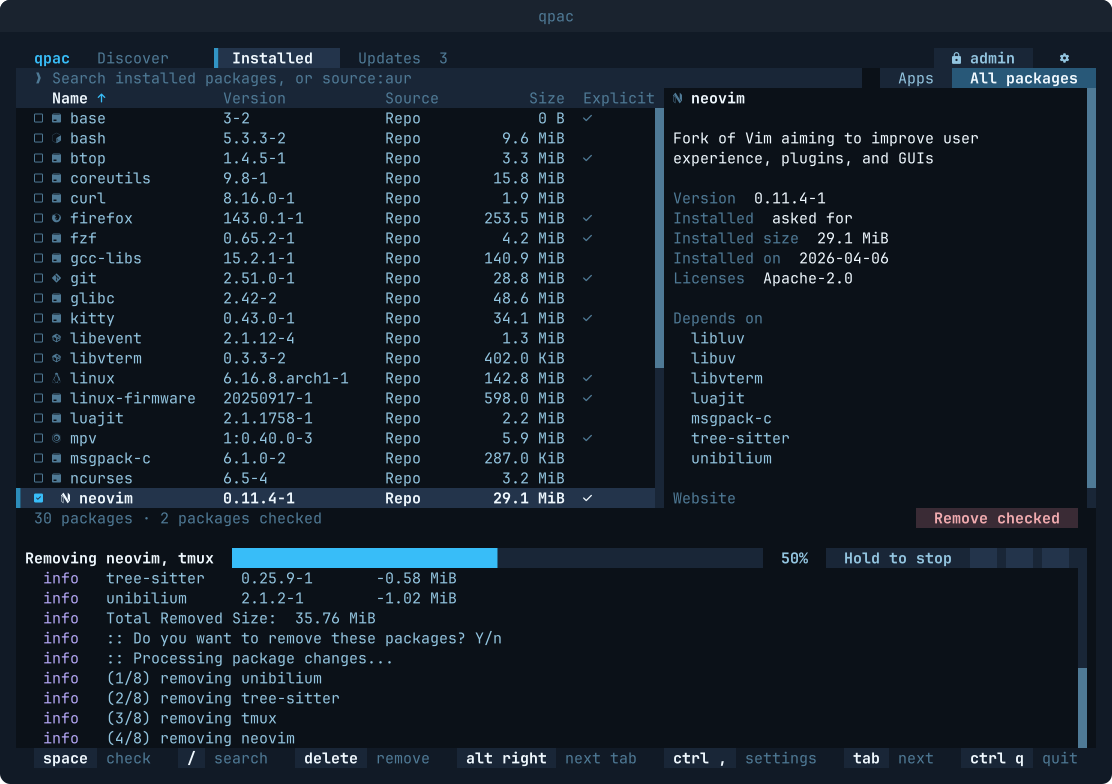
Your applications, or every package, in a table you can search and sort, with the source of each and a detail panel. It is read straight from pacman's local database, so it opens at once; Flatpaks and snaps are not in this table yet and carry an Installed mark on their cards in Discover instead.
- Updates that never leave you half upgraded
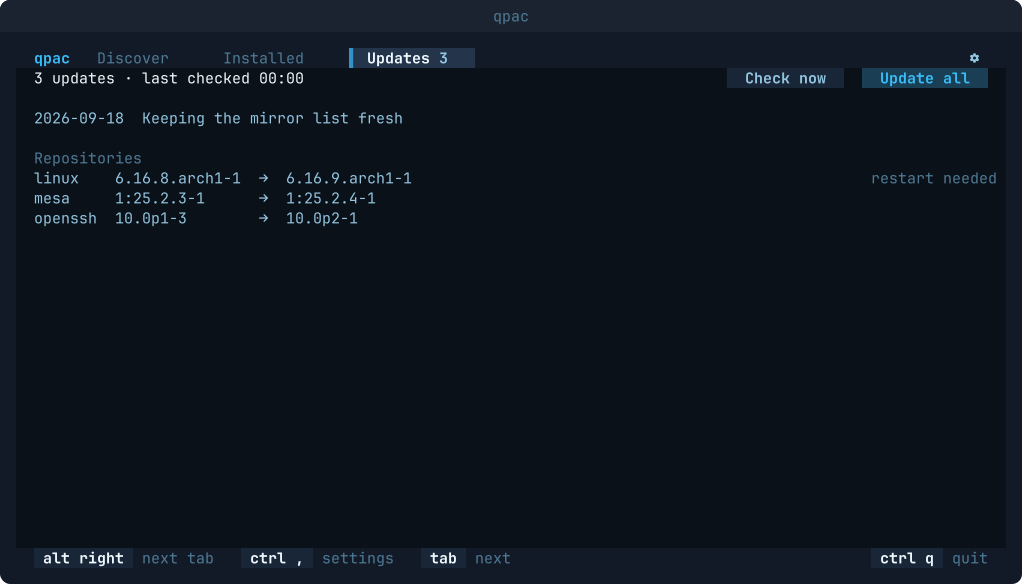
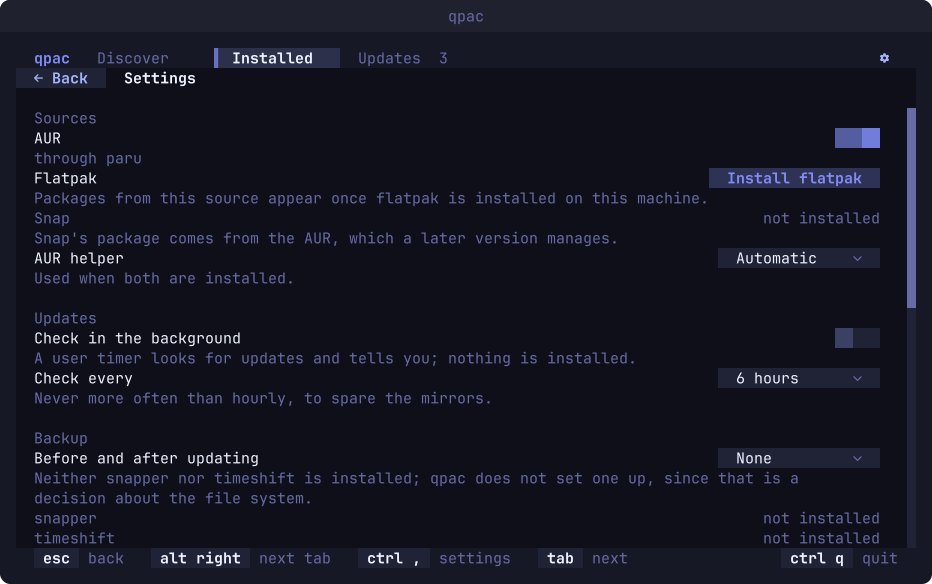
Waiting updates by source, restart notes, and the latest Arch news above them. The check uses a private copy of pacman's database, and Update all can take a snapper or timeshift snapshot first.
- Changes you can see
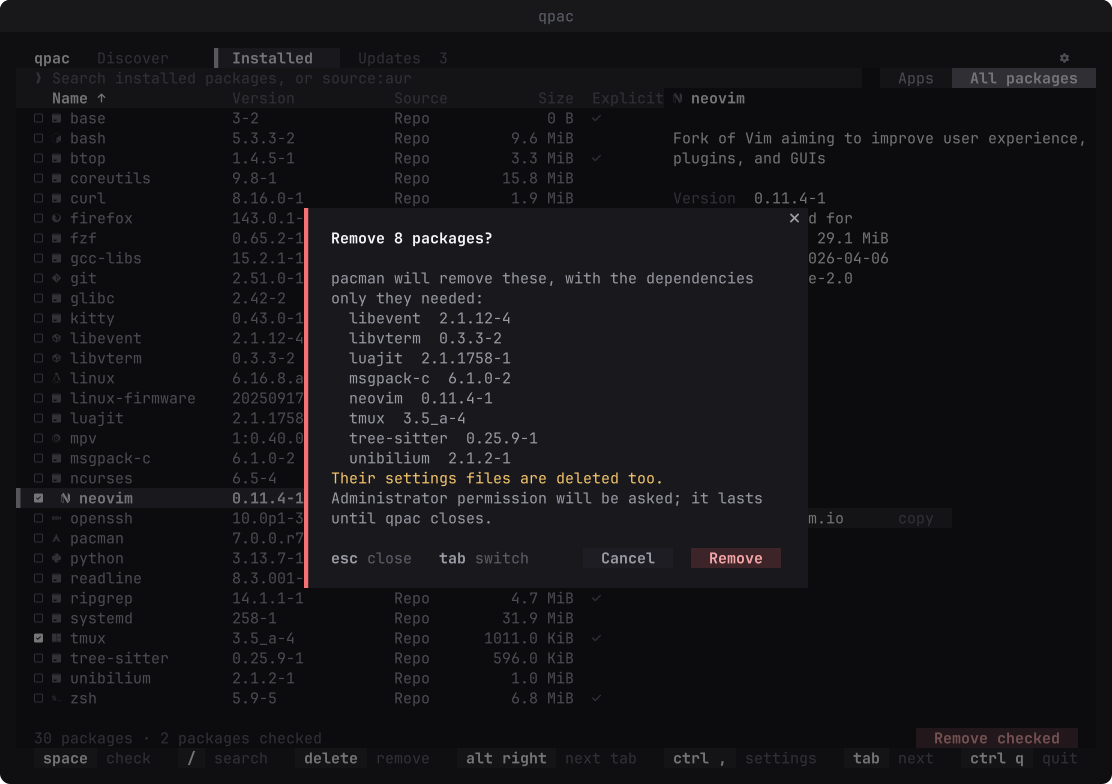
Before anything runs, pacman is asked what the change would do, and the full list, dependencies included, waits for you to confirm. Cancel has the focus.
- Your password stays with polkit or sudo
The first change asks for it once; qpac never sees it. A locked database is explained, never forced, and orphans can be cleaned up in one step.
- The AUR recipe, read before it runs
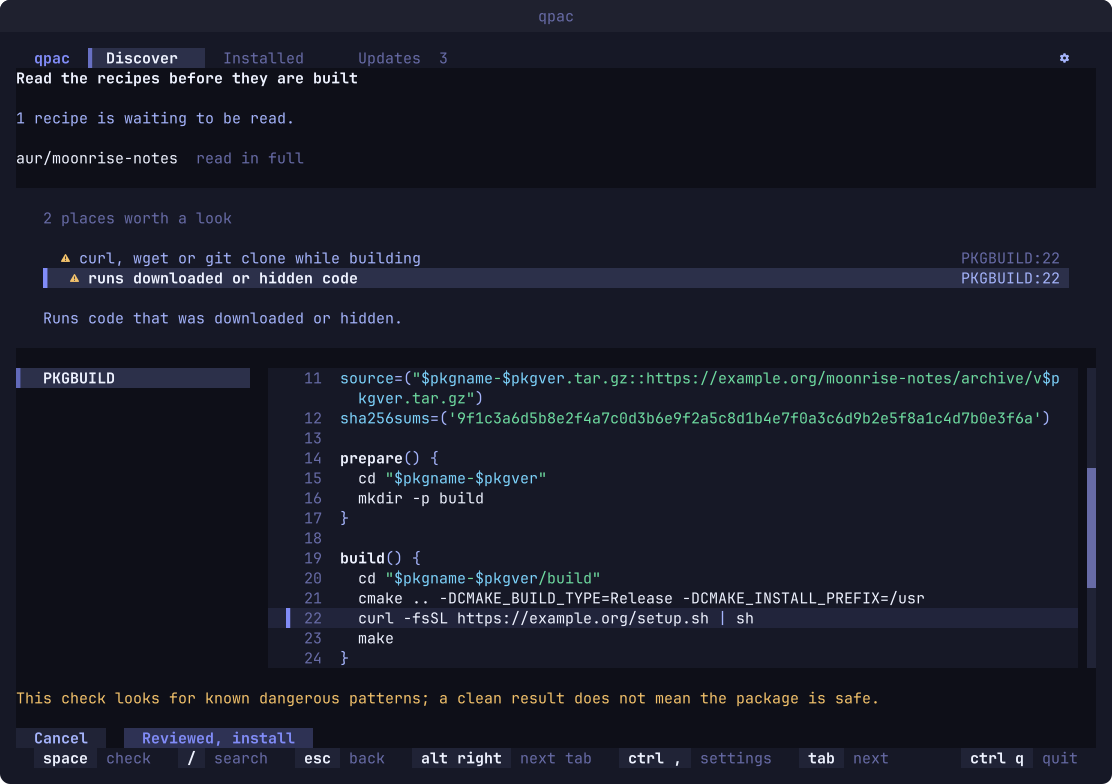
A package from the AUR is built only after its recipe is on your screen, beside the one you approved last time, with rules pointing at the risky lines. Only Reviewed, install starts the build, and the build never gets a shell with privileges.
- Four sources, one list
The repositories, the AUR, Flatpak and Snap: qpac installs from and removes through all four. snapd is read on its own socket as you, and a snap that needs classic confinement is a question of its own, so what you confirm is always what happens.
- Nine languages
English, Turkish, German, Spanish, French, Brazilian Portuguese, Russian, Simplified Chinese and Japanese.
Screens
Find it, read about it, confirm it.
Install
Quvyta's installer builds qpac from crates.io with cargo. It asks before every step and installs Rust with rustup if it is missing. It uses sudo only to install a missing C linker, and only when you answer yes in the terminal.
The program is installed as qpac and also as quvyta-packages. On Windows, and for every other way in, see Install.
Linux and macOS
curl -fsSL https://raw.githubusercontent.com/quvyta/quvyta/main/install.sh | sh -s -- packagesOr with cargo
cargo install quvyta-packagesRequirements
- Arch Linux
Or a distribution built on it, with
pacman. - sudo
For anything that changes the system.
- Rust 1.95 or later
The installer brings it with rustup if you agree.