quvyta
quvyta
Installs the Quvyta apps, opens the ones on your machine and keeps them up to date. It lists every app with what it does, which version you have and whether a newer one is out.
curl -fsSL https://raw.githubusercontent.com/quvyta/quvyta/main/install.sh | sh -s -- quvytaBeta. The interface may still change between releases.
What it does
The whole ecosystem, in one list.
- Install, update, remove
Apps are built with
cargo install --locked, one at a time, while you keep using the list. Remove usescargo uninstalland keeps your settings. - The exact command first
Before anything runs, quvyta shows where an app comes from, which version it gets, where it goes and the cargo command, which you can copy.
- Updates
It asks crates.io for new versions at most once every six hours. Install updates brings them all; quvyta can update itself.
- sudo only when you press it
Apps are written under
~/.cargo. When Rust or a C linker is missing, Install here runs the command that puts it right in the terminal you are looking at; for a linker that is your system's sudo line, and sudo asks for your password itself. - Open an app
It gets the whole terminal; when it closes, quvyta comes back, or your shell if you prefer.
- A failed build explained
A plain sentence, cargo's last lines, and the whole log kept.
- One appearance for every Quvyta app
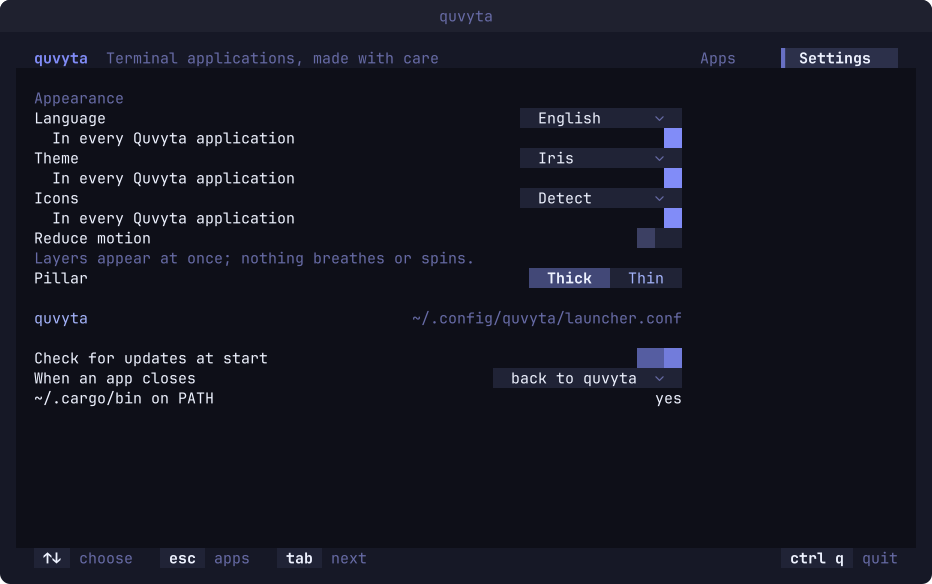
The language, the colour theme and the icon set are chosen here, and each choice says whether it holds in every Quvyta application or in quvyta alone. Reduce motion and the pillar sit beside them.
- Nine languages
English, Turkish, German, Spanish, French, Brazilian Portuguese, Russian, Simplified Chinese and Japanese.
Screens
Every step shown before it happens.
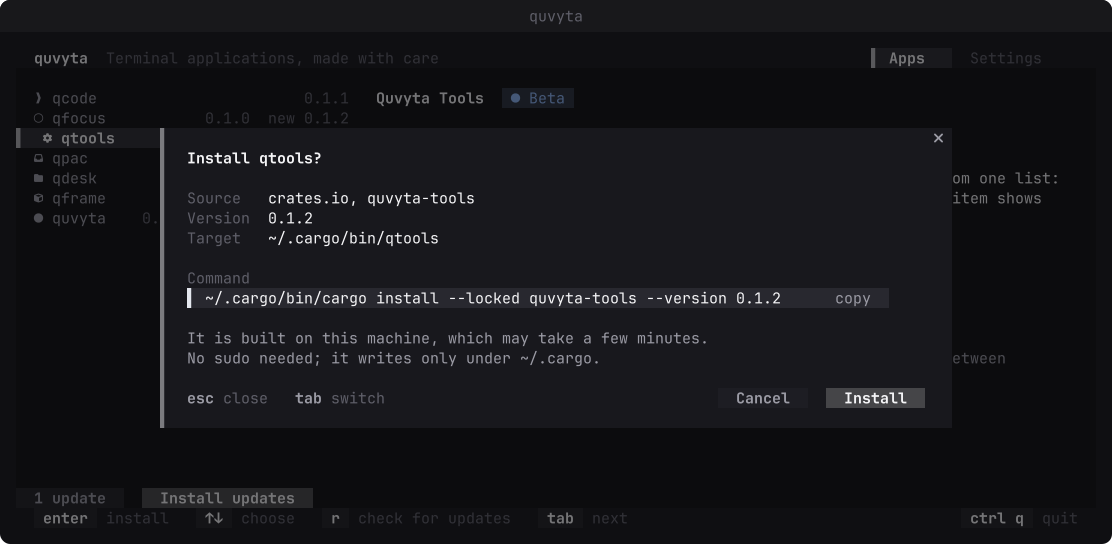
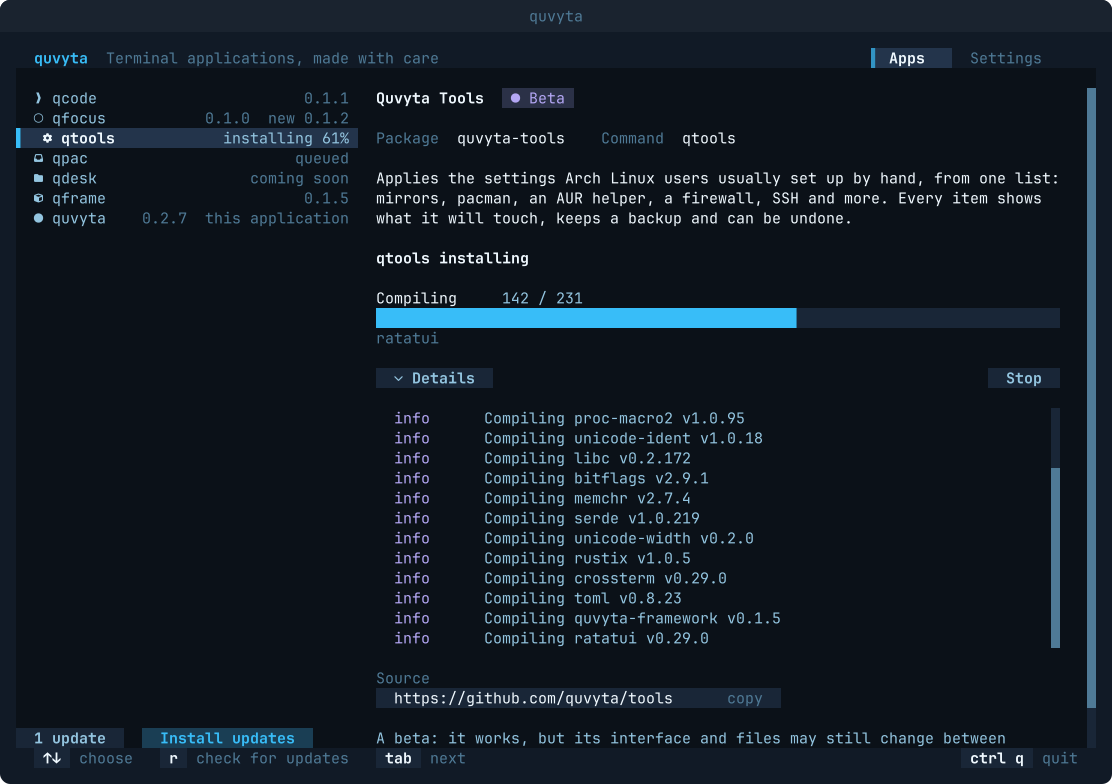
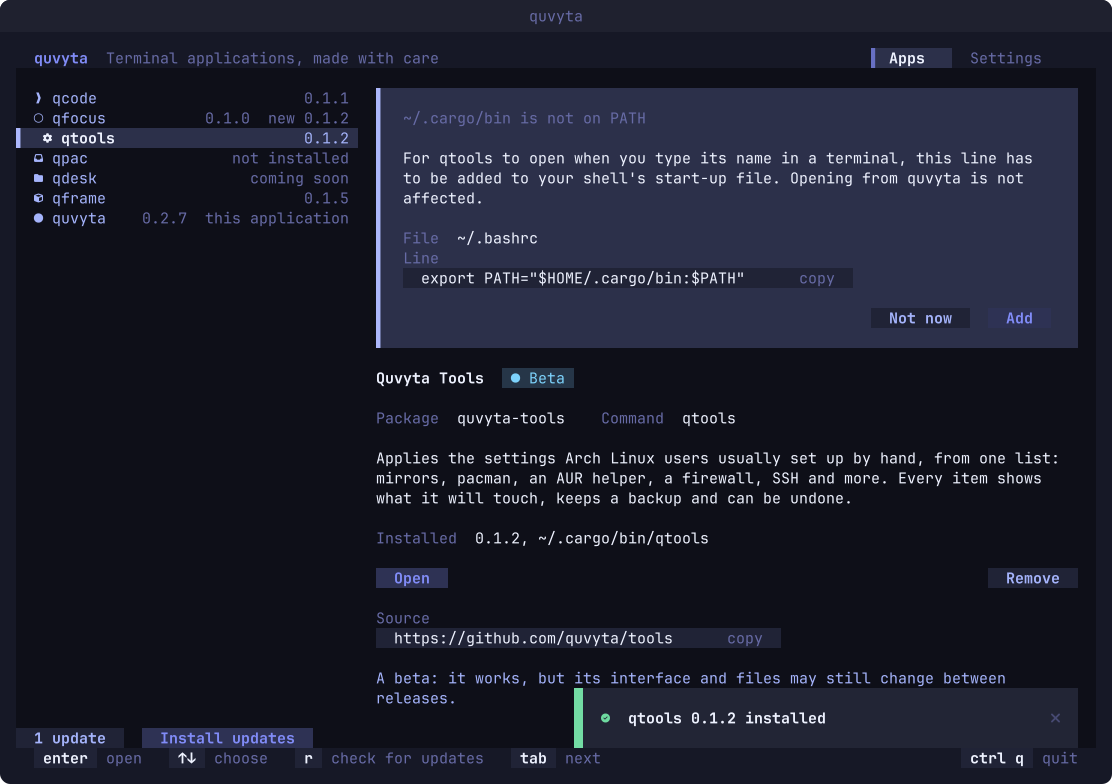
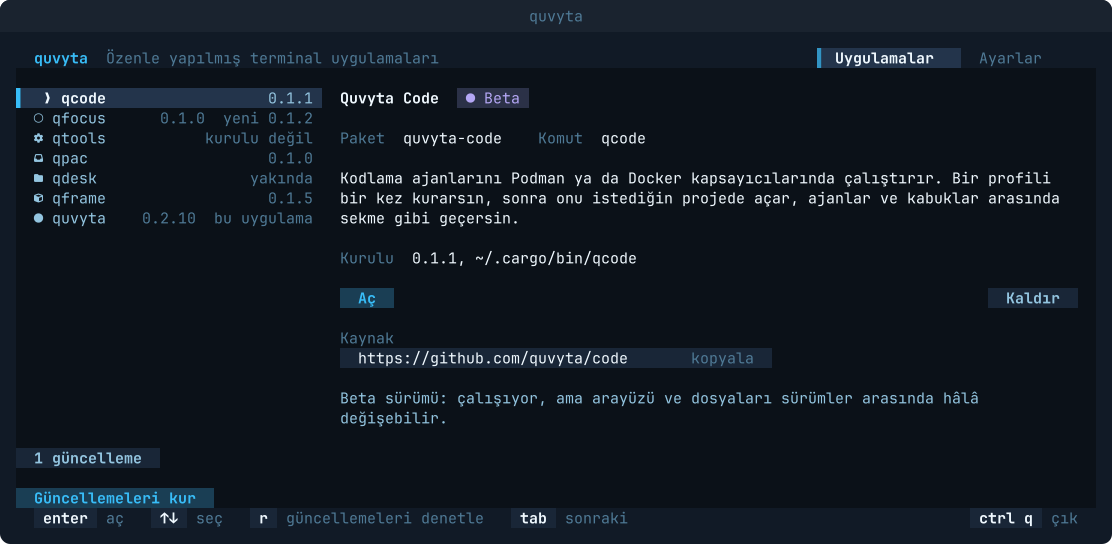
Install
Quvyta's installer builds quvyta from crates.io with cargo. It asks before every step and installs Rust with rustup if it is missing. It uses sudo only to install a missing C linker, and only when you answer yes in the terminal.
The program is installed as quvyta. On Windows, and for every other way in, see Install.
Linux and macOS
curl -fsSL https://raw.githubusercontent.com/quvyta/quvyta/main/install.sh | sh -s -- quvytaOr with cargo
cargo install quvytaRequirements
- Rust 1.95 or later
The installer brings it with rustup if you agree.