quvyta-tools
qtools
The settings Arch Linux users usually set up by hand, from one list: a fast mirror list, parallel downloads, multilib, an AUR helper, a firewall, SSH hardening, compressed swap in RAM, Bluetooth, laptop power, NVIDIA on Wayland, SSD trim and time sync.
curl -fsSL https://raw.githubusercontent.com/quvyta/quvyta/main/install.sh | sh -s -- toolsBeta. qtools changes your system: it installs packages, edits files under /etc and enables services. Read the confirmation before you accept it, and try it first on a machine you can afford to repair.
How it works
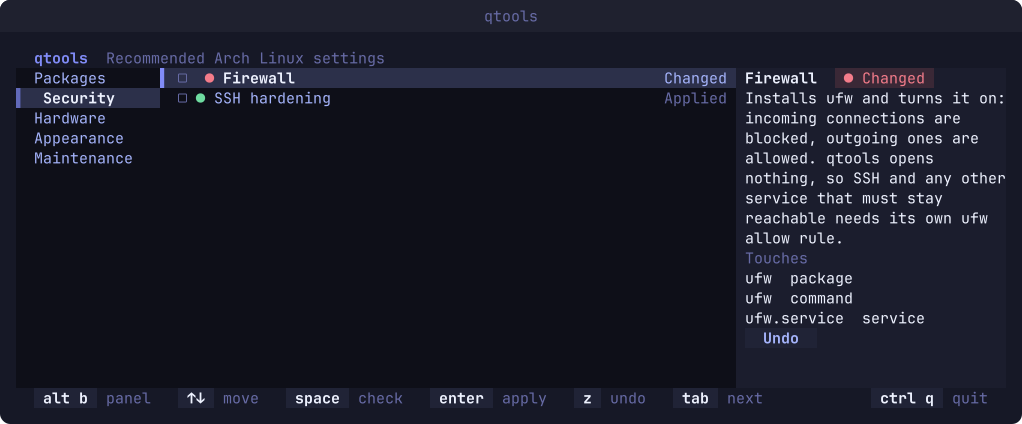
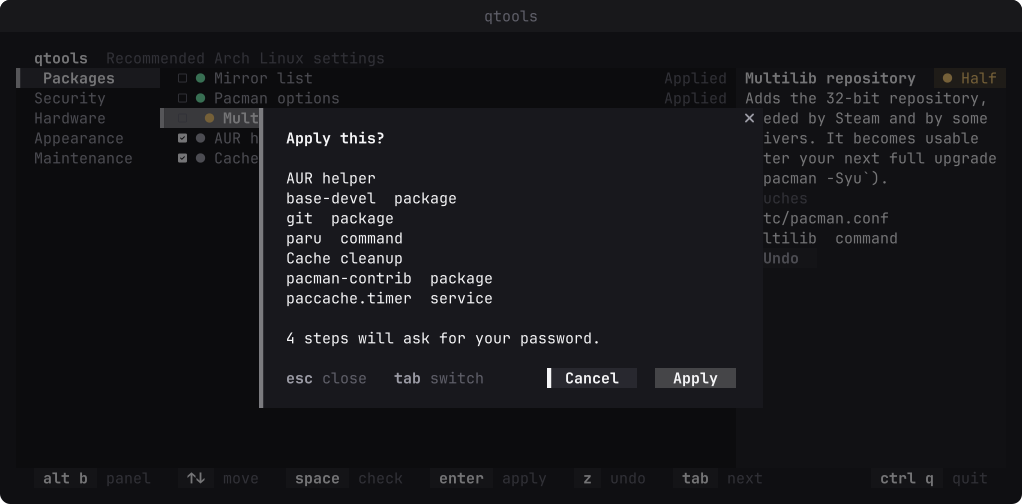
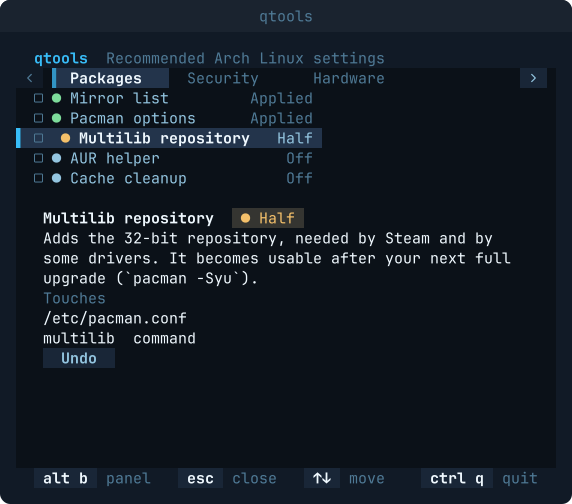
Every item says what it will touch, then asks.
- Where it stands
Every item shows its state on this machine before you do anything. Running one a second time changes nothing; it says it is already applied.
- A backup and an undo
Every file is saved before qtools writes it. Undo puts it back, and leaves a file alone when something else has changed it since.
- Changed behind its back
A file edited by something other than qtools is shown as changed and never silently overwritten.
- Passwords stay with sudo
Steps that need privileges run through sudo in a terminal inside the screen. The confirmation says beforehand how many steps will ask.
- From the command line
qtools --run mirrors pacman-optionsapplies items without the screen;--revertundoes them. - It never installs a driver
The hardware items set up what is already on the machine. Which driver a card needs depends on the card and the kernel, and the wrong one can leave a machine without a display.
- Nine languages
English, Turkish, German, Spanish, French, Brazilian Portuguese, Russian, Simplified Chinese and Japanese.
The items
Four groups today.
| Group | Items |
|---|---|
| Packages | Mirror list, pacman options, multilib repository, AUR helper, cache cleanup |
| Security | Firewall, SSH hardening |
| Hardware | Compressed swap in RAM, Bluetooth, laptop power management, NVIDIA on Wayland |
| Maintenance | SSD trim, journal size limit, time sync |
A fifth group, Appearance, is already in the list and still empty; its items come in a later release.
Install
Quvyta's installer builds qtools from crates.io with cargo. It asks before every step and installs Rust with rustup if it is missing. It uses sudo only to install a missing C linker, and only when you answer yes in the terminal.
The program is installed as qtools and also as quvyta-tools. On Windows, and for every other way in, see Install.
Linux and macOS
curl -fsSL https://raw.githubusercontent.com/quvyta/quvyta/main/install.sh | sh -s -- toolsOr with cargo
cargo install quvyta-toolsRequirements
- Arch Linux
Or a distribution built on it that uses
pacmanandsystemd. Anywhere else qtools says so and changes nothing. - sudo, set up for your user
The steps that need privileges ask for your password through it.
- Rust 1.95 or later
The installer brings it with rustup if you agree.